
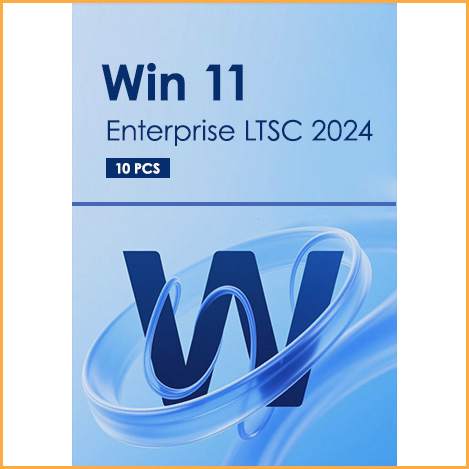
Win 11 Enterprise LTSC 2024 Key - 10 PCs
Buy Win 11 Enterprise LTSC 2024 - 10 PCs.
This product includes one Win 11 Enterprise LTSC 2024 Key for 10 PCs. The key will be sent by email after purchase within minutes. Please check the spam or junk mail folder too.
Win 11 Enterprise LTSC 2024 - 10 PCs is available for PC in both 32-bit and 64-bit versions, but not for MAC.
Download link: Win 11 Enterprise LTSC 2024
More information about download and installation you can find in the description below or in the delivery email.
Win 11 Enterprise LTSC 2024 builds upon the foundation of Win 10 Enterprise LTSC 2021, introducing advanced features like enhanced protection against modern security threats, along with robust tools for managing devices, applications, and user control. This release also includes all cumulative updates and improvements from Win 11 versions 21H2, 22H2, 23H2, and 24H2.
New Features:
- Improvements for people with disabilities: system-wide live captions, Focus sessions, voice access, and more natural voices for Narrator. Braille displays work seamlessly and reliably across multiple screen readers, improving the end user experience. We also added support for new braille displays and new braille input and output languages in Narrator.
- Internet Explorer (IE) is no longer available in Win 11 Enterprise LTSC 2024. However, you can use IE Mode if a website needs Internet Explorer. The Edge browser is the default browser.
- Code built as Arm64EC is interoperable with x64 code running under emulation within the same process. The Arm64EC code in the process runs with native performance, while any x64 code runs using emulation that comes built-in with Win 11.
- Support for Wi-Fi 7 consumer access points offers unprecedented speed, reliability, and efficiency for wireless devices.
- New controls were added to help manage which apps have access to the list of Wi-Fi networks around you, which could be used to determine your location.
- The security and privacy features in Win 11 are similar to Win 10. Security for your devices starts with the hardware, and includes OS security, application security, and user & identity security.
- Win Security app is an easy-to-use interface, and combines commonly used security features. For example, your get access to virus & threat protection, firewall & network protection, account protection, and more.
- Delivery Optimization helps minimize bandwidth usage by distributing the download process across multiple devices in your environment. Win 11 updates are more efficient, downloading only the files that have changed. You can also define policies to customize Delivery Optimization settings—such as limiting upload and download speeds, adjusting cache sizes, and more.
How to activate Win 11 Enterprise LTSC 2024:
- Please download and install correct edition of Win 11.
- Go to 'Control Panel-All Control Panel Items-System ' and click 'Activate Wins' or 'Change Product Key'.
- Click 'Activation' and enter the key you bought. Now your Win has been activated.
| Win 11 Enterprise 2024 LTSC | Win 11 IoT Enterprise LTSC 2024 | |
|---|---|---|
| BitLocker Encryption | √ | √ |
| Remote Desktop Host | √ | √ |
| Win Sandbox | √ | √ |
| Hyper-V | √ | √ |
| Group Policy | √ | √ |
| Dedicated Lockdown | × | √ |
| Soft Real-Time | × | √ |
| Removable Packages | × | √ |
| Feature Updates | × | × |
| Pre-installed Store | × | × |
| Product Edition Type | Long-Term Servicing Channel | Long-Term Servicing Channel (Internet of Things) |