
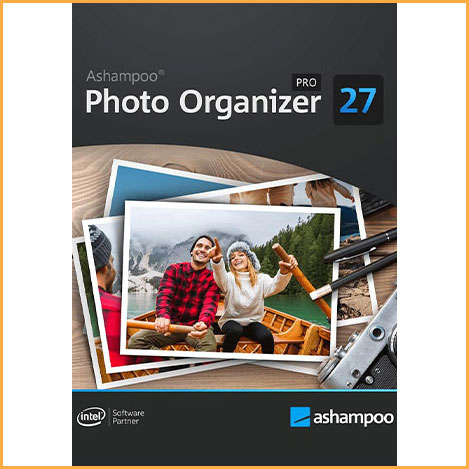
Ashampoo Photo Organizer Pro 27 - 1 PC- Lifetime
Buy Ashampoo Photo Organizer Pro 27 - 1 PC- Lifetime Key.
This product includes Ashampoo Photo Organizer Pro 27 - 1 PC- Lifetime key.
The key will be sent by email after purchase within minutes. Please check the spam or junk mail folder too.
Activation, download and installation of Product via Ashampoo Download Manager: Download Link
You can also click here to download directly.
More information about download and installation you can find in the description below or in the delivery email.
Notes:
- Lifetime support for minor updates. For example, v25.x. Upgrading to v26.x requires a new purchase, but you can continue using v25.x without upgrading.
- It is recommended that you first create and sign in to your personal software account and then bind the license key to your account to activate the software on your device, so that you can reset and reactivate it directly from your software account when you change to a new device in the future.
Rediscover your collection – with “My Memories,” “My Places,” and a completely redesigned interface
Ashampoo Photo Organizer Pro 27 helps you keep even large photo collections organized while rediscovering your pictures again and again. You can organize photos, sort out weaker shots, and quickly find the right image among thousands. "My Memories" groups photos that belong together by time and location, and "My Places" displays your pictures on an interactive world map — so you can rediscover trips and experiences through your own photos. Automatic focus assessment, tag management, top photo search, and other features make photo management a breeze.
The new features at a glance:
- Automatic grouping of related photos from trips or outings
- Interactive world map with all photo locations
- Direct access to photos from the same location and time period
- Easy location assignment by place, address, landmark, or country
- Automatic detection and storage of matching coordinates
- Completely redesigned interface with an improved layout and new look
- Smoother operation for a more comfortable workflow
- Improved contrast and readability
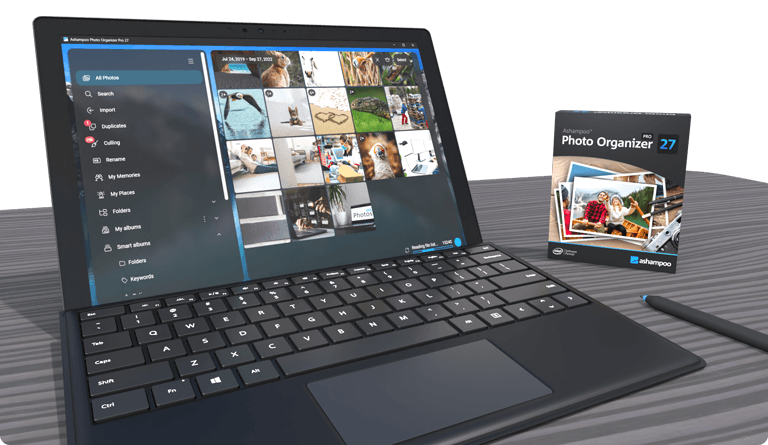
And many more powerful features
- WebDAV support
- Classic folder tree view
- Batch processing
- Easy photo import
- Automatic focus assessment of photos
- Automatic grouping of photo series
- Automatic search for top photos
- Fast photo culling
- Duplicate detection and removal
- Convenient batch renaming
- Extensive metadata support including XMP sidecars
- Smart albums with automatic sorting by location, camera, keywords, etc.
- Powerful search with numerous criteria
- Lossless rotation and mirroring of images
Relive your memories
Based on time and location, "My Memories" automatically recognizes which photos belong together and groups them into a clear overview, making it easier to rediscover trips, outings, and other experiences and to revisit past moments. "My Places" displays your photos on an interactive world map, showing where your memories were made — and with just one click, you can open the photos from a location and retrace your travels through your own pictures.
Your journeys on the world map
With “My Places,” you can view your photo collection from a completely new perspective. Related photos are displayed on a world map and can be opened directly from there. See where your travels have taken you, which places you have visited, and what memories you associate with them.
Easily add locations
If older photos are missing location information, you can now add it with ease. Simply enter a place, address, landmark, or country, and the matching coordinates are automatically found and stored in the photo. This also makes it easy to include older photos in “My Memories” and “My Places.”
Completely redesigned interface
The Photo Organizer Pro interface has also been extensively redesigned. The new layout, modernized look, smoother operation, optimized contrast, and improved readability make working with your photo collection even more comfortable.
At last: Neatly organized photo collections!
If your photos have inconsistent names filled with camera codes, dates, or cryptic abbreviations, the renaming feature lets you create a personalized and logical naming scheme — bringing perfect order in seconds. Short on time? Handy batch processing lets you add tags or update location data for multiple photos simultaneously with just a few clicks.
Everything at a glance
Whether your images are stored locally or in the cloud, Ashampoo Photo Organizer Pro displays them all. Automatic grouping of photo series makes it effortless to keep a clear overview. Open a smart album to instantly see your photos neatly arranged by folders, tags, ratings, or locations; a classic folder tree is available as well. Get ready for a whole new level of visual clarity!
Requirements:
-
Operating System:
Win11, Win 10 (x64) -
Requirements
Any device that supports the operating systems listed above.RAM: At least 8 GB
-
Other
You need the Ashampoo app for the installation. Quick, easy and secure:Ashampoo App